


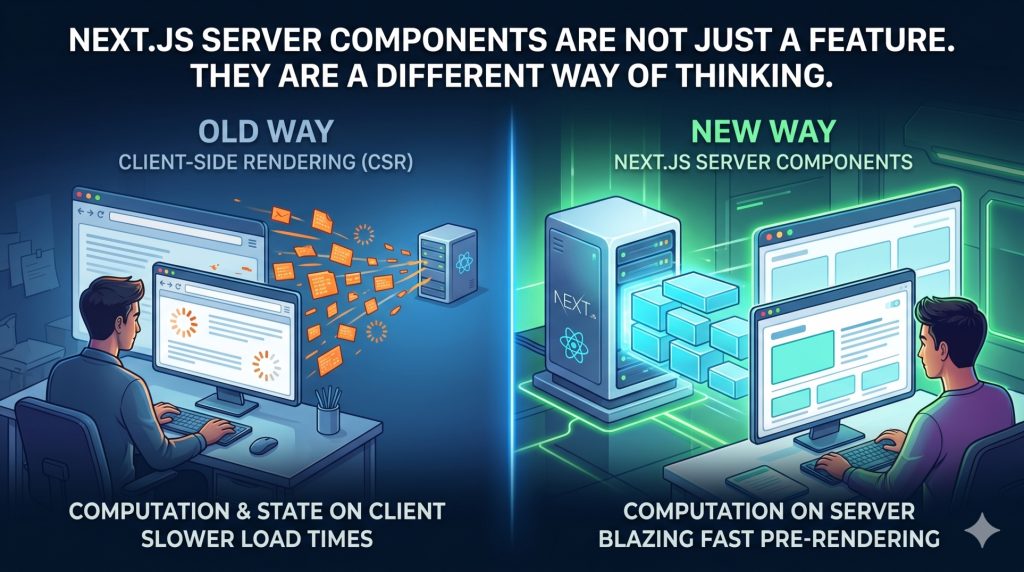
Most developers encounter Next.js Server Components the same way. They start a new project with the App Router, notice that data fetching looks different, try to add a click handler and get an error, then search for what “use client” means and fall down a rabbit hole of documentation. By the end, they have a working component but not necessarily a clear mental model of why any of this exists.That mental model matters more than the syntax. Once you understand what problem Server Components are actually solving, the rules around when to use them start making intuitive sense instead of feeling arbitrary.
The Problem Nobody Talked About Out Loud
For most of the history of modern JavaScript frameworks, the browser has been treated as the primary place where work happens. The server delivers a page, hands off to the client, and everything interesting from there, data fetching, rendering, state management, happens in the browser through JavaScript.
This model made sense when it was invented. It gave developers a way to build rich, interactive applications that felt more like desktop software than web pages. But over time, the costs of that model became harder to ignore.
Every feature added to an application added JavaScript. Every library included to make something work ended up in a bundle shipped to the browser. Users on slower devices or weaker network connections were not getting the rich experience the model promised. They were waiting for JavaScript to download, parse, and execute before they could see anything meaningful on screen.
The performance conversation in web development over the past several years has largely been a reaction to this problem. Core Web Vitals, lighthouse scores, bundle size budgets, these are all attempts to measure and discipline a model that had grown expensive. Server Components are a more fundamental response. Rather than optimizing how JavaScript gets delivered to the browser, they ask a different question: does this work need to happen in the browser at all?
What Server Components Actually Represent
A Server Component is a React component that runs on the server and never ships its JavaScript to the browser. The user receives the rendered output, the visible HTML, without receiving the code that produced it.
For developers who have spent years in a world where React is synonymous with client-side JavaScript, this feels counterintuitive at first. React components run in the browser. That is what they are for. Except that assumption was always more habit than necessity.
A large portion of the components in any application do not actually need to run in the browser. A blog post layout does not respond to user interaction. A product description does not track state. A navigation structure does not listen to browser events. These components fetch data, format it, and render it. All of that work can happen on the server, and in a Server Component model, it does.
The result is that the browser receives less JavaScript. Not through compression or tree-shaking or any other optimization technique applied after the fact, but because the code was never intended for the browser in the first place. This is a structural solution to a structural problem.
Why the Default Matters More Than the Feature
The most consequential decision Next.js made with the App Router was not introducing Server Components. It was making them the default.
In the App Router, every component is a Server Component unless you explicitly say otherwise. This inverts the mental model developers carried from the Pages Router era, where every component was a Client Component unless you specifically fetched data server-side through framework-specific functions.
Defaults shape behavior at scale. When Client Components are the default, developers write Client Components because that is what you get if you do not think about it. When Server Components are the default, the browser only receives JavaScript for the components that genuinely need it, which turns out to be a much smaller portion of a typical application than most developers expect.
This shift requires a different instinct when building. Instead of asking whether something needs to run on the server, you ask whether something needs to run in the browser. The threshold for opting into client-side rendering becomes a deliberate choice rather than the path of least resistance.
The Boundary Is the Design Decision
The most important architectural concept in a Next.js App Router application is not the page structure or the data fetching pattern. It is where you draw the line between server and client.
The “use client” directive that marks a component as a Client Component is not just a technical instruction. It is a design decision about where interactivity begins. Everything above that boundary in the component tree stays on the server. Everything below it gets shipped to the browser.
Experienced developers working with Server Components learn quickly that this boundary should be pushed as deep into the component tree as possible. A page that marks its entire layout as a Client Component because one small piece of it needs a click handler is wasting the performance benefit that the architecture was designed to provide. The right approach is to isolate that interactive piece, give it its own Client Component boundary, and let everything around it remain on the server.
This kind of thinking, about where work belongs rather than just whether it works, is the mental shift that Server Components require. It is less about learning new syntax and more about developing a new habit of questioning assumptions about where computation should live.
What This Means for Performance and SEO in Practice
The performance benefits of Server Components are not theoretical. They show up in the metrics that actually matter for real applications.
When a page is built primarily from Server Components, the browser receives fully rendered HTML from the server before any client-side JavaScript executes. This means users see content faster, regardless of their device speed or network quality. First Contentful Paint improves because there is real content to paint. Time to Interactive improves because there is less JavaScript competing for the browser’s attention.
For SEO, the implications are direct. Search engine crawlers see fully formed content in the initial HTML response rather than a blank page waiting for JavaScript to fill it in. This is not a new concern in web development, server-side rendering has existed for years precisely because of it, but Server Components make it the default behavior rather than something that requires extra configuration.
The performance improvements compound as an application grows. An application that starts with good Server Component architecture does not accumulate client-side weight the way a traditional React application does, because new features built as Server Components add no JavaScript cost to the browser at all
The Honest Learning Curve
None of this means Server Components are simple to learn. The mental model is genuinely different, and the constraints take time to internalize.
Developers encounter friction in predictable places. They try to use state or event handlers in a Server Component and get an error. They try to import a Server Component directly into a Client Component and find it does not work the way they expect. They mark an entire component tree as “use client” because it is the path of least resistance, then wonder why their bundle is not getting smaller.
These friction points are not signs that the model is wrong. They are signs that the model is enforcing a discipline that the old model did not. The error you get when you try to use useState in a Server Component is not an arbitrary restriction. It is the framework telling you that the work you are trying to do belongs on the client, and it is asking you to make that boundary explicit.
That explicitness is the point. Server Components make the division of labor between server and client a visible, deliberate part of how you write code rather than something that happens implicitly and inconsistently.
Why This Shift Is Worth Understanding Even If You Are Not Using Next.js
The concepts behind Server Components are not proprietary to Next.js. They represent a broader direction in how the web development community is thinking about the relationship between servers and browsers.
The observation that most UI components do not need to run in the browser is not a framework opinion. It is a fact about how most applications are actually used. The data fetching, the layout rendering, the content formatting, the overwhelming majority of what a web application does happens before a user ever touches the interface. Putting that work on the server is not a regression to an older model. It is a more precise allocation of responsibility.
Understanding Server Components gives you a framework for thinking about any application, in any technology, in terms of where work should live. That instinct, asking whether something genuinely needs to run in the browser rather than assuming it does, will be useful long after the specific syntax of any particular framework has changed.
The web is moving toward a model where the server and the client each do what they are actually good at. Server Components, in Next.js specifically and in the broader React ecosystem, are one of the clearest expressions of that direction available to developers today.If you are building with Next.js and have been treating the App Router like the Pages Router with a different folder structure, it is worth pausing and asking whether you are getting the